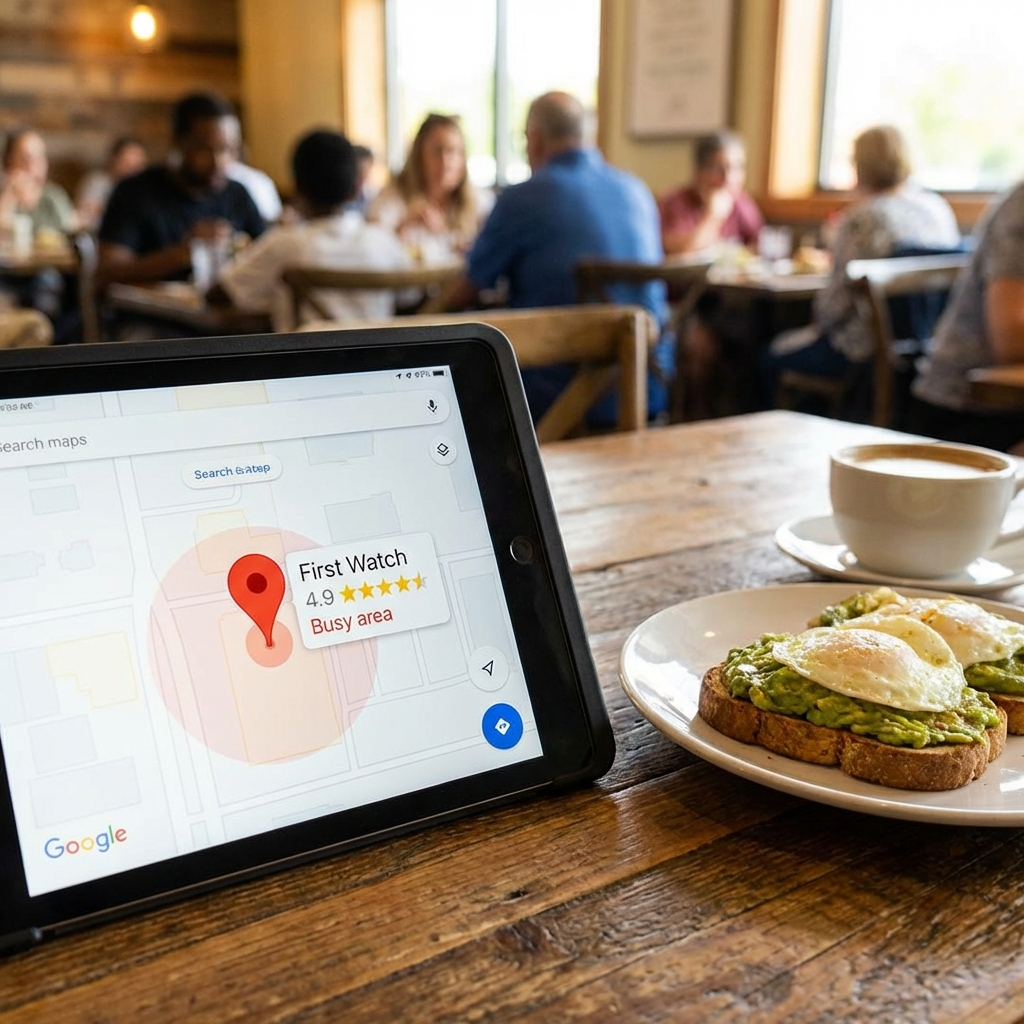
First Watch’s Same-Store Sales Growth: The Local SEO Strategy Behind the Numbers

Test Gadget Preview Image

First Watch reported Q4 2025 earnings that beat analyst expectations with GAAP EPS of $0.24. Revenue hit $316 million. Operating margin improved to 2.9%.

But here’s what matters most: same-store sales rose 3.1% year-over-year.

That growth happened while same-restaurant traffic decreased by 1.9%. The company opened 64 new restaurants in 2025 and acquired 19 franchise locations. They now operate 633 restaurants and target a potential footprint of more than 2,200 locations.

The real story sits in their digital marketing test regions. Those areas experienced a several hundred basis point increase in traffic. Management plans a full system rollout in fiscal 2026.

I’ve watched this pattern before. The winners in multi-location restaurant growth understand one principle: local SEO determines who owns the category in each market.

The Local Search Behavior That Drives Restaurant Revenue

Look at the numbers. 98% of customers search online for nearby companies. That’s up from 90% in 2019.

More telling: 76% of “near me” mobile searches lead to a store visit within 24 hours. For restaurants, local search visibility converts to foot traffic the same day.

First Watch’s digital marketing test regions proved this. When you dominate local search results, traffic increases by hundreds of basis points. When you don’t, you’re invisible to the 62% of consumers who use local search results when looking for restaurants.

The restaurant industry will surpass $1.1 trillion in traditional sales in 2026. That’s a 4.1% year-over-year increase. But the brands capturing that growth are the ones who show up first in local search.

Google Business Profile: The Modern Full-Page Ad

I tell clients that an optimized Google Business Profile is the equivalent of a full-page Yellow Pages ad in 1995.

It’s not a comparison. It’s the same strategic position.

Based on a 2025 Malou study of 300+ locations, restaurants optimizing their Google Business Profile get 2.3x more reviews than others and at least 15% more interactions after six months.

Restaurants that actively manage their profile get 70% more engagement on Google. That engagement translates to calls, direction requests, and online orders.

First Watch operates 633 locations. Each location competes in its own local market. Each market has its own search behavior, competition, and customer base. You can’t win 633 local markets with a single corporate website and hope.

You win by optimizing each Google Business Profile. You win by managing reviews at the location level. You win by ensuring every profile has accurate hours, complete service details, and regular updates.

The Multi-Location Challenge First Watch Solved

Managing one Google Business Profile takes discipline. Managing 633 takes a system.

Multi-location restaurant brands face a specific problem. Corporate wants brand consistency. Local managers need flexibility to respond to their market. Customers expect accurate, current information for their specific location.

Most brands fail at this. They either centralize everything and lose local relevance, or they decentralize and lose brand consistency.

First Watch’s digital marketing test regions worked because they solved this problem. They created a system that maintains brand standards while optimizing for local search in each market.

The result: several hundred basis points of traffic increase in test regions. That’s not incremental improvement. That’s category dominance.

Reviews Drive Decisions and Rankings

Here’s what most restaurant operators miss: reviews do double duty.

First, they influence customer decisions. 47% of diners are more likely to visit a restaurant if they see the business responds to reviews. And 88% of potential diners trust online reviews as much or more than word-of-mouth recommendations.

Second, they impact local search rankings. Google’s algorithm factors review quantity, recency, and response rate into local pack rankings.

Research from Harvard Business School shows that a one-star increase in a restaurant’s Yelp rating correlates with a 5-9% increase in revenue.

First Watch’s expansion to 633 locations means they need a review management system that works at scale. You can’t manually monitor and respond to reviews across hundreds of locations. You need automation with human oversight.

The Traffic to Revenue Conversion

Local SEO drives traffic. But traffic only matters if it converts.

First Watch’s same-store sales increased 3.1% while traffic decreased 1.9%. That tells me they’re converting higher-quality customers. Local SEO brings in customers who already decided to visit. They searched for breakfast restaurants near them. They saw First Watch in the local pack. They clicked for directions.

That’s a qualified lead. They’re not browsing. They’re ready to eat.

Compare that to traditional advertising. You pay to interrupt someone’s day and hope they remember your brand when they get hungry. Local SEO captures customers at the moment of intent.

The conversion rate reflects this. 28% of searches for something nearby lead to a purchase. Nearly one in three local retail searches convert to sales.

The 2026 Rollout and What It Means

First Watch plans a full system rollout of their digital marketing strategy in fiscal 2026. They tested it in select regions. It worked. Now they’re scaling it across all 633 locations.

This is how category leaders operate. They test. They measure. They scale what works.

The several hundred basis point traffic increase in test regions will compound across the entire system. That’s not just growth. That’s market share capture from competitors who are still guessing about their marketing.

Over 65% of restaurant searches start on Google Maps or mobile “near me” queries. First Watch is positioning every location to win those searches.

What This Means for Multi-Location Service Brands

First Watch’s strategy applies beyond restaurants. Any multi-location service business faces the same challenge: how do you dominate local search in every market you operate?

The answer is systematic local SEO. You need a centralized system that optimizes each location’s Google Business Profile. You need automated review management that maintains response rates. You need consistent posting across locations while allowing for local customization.

Most importantly, you need measurement. First Watch tested their digital marketing strategy in specific regions before rolling it out system-wide. They measured traffic increases. They tracked conversion rates. They proved ROI before scaling.

That’s strategic marketing. You don’t guess. You test, measure, and scale what works.

The Local SEO Advantage Compounds

Here’s what makes local SEO powerful for multi-location brands: the advantage compounds.

When you rank first in local search, you get more clicks. More clicks lead to more reviews. More reviews improve your rankings. Better rankings bring more clicks.

It’s a reinforcing loop. The brands that establish local search dominance early create a moat that competitors struggle to cross.

First Watch’s 64 new restaurant openings in 2025 benefit from this. Each new location can leverage the brand’s review management system, Google Business Profile optimization, and local SEO strategy from day one.

They’re not starting from zero. They’re starting with a proven system that delivers several hundred basis points of traffic increase.

The Bottom Line

First Watch’s Q4 2025 results show what happens when a multi-location brand gets local SEO right. Same-store sales increased 3.1%. Operating margin improved to 2.9%. Digital marketing test regions experienced several hundred basis points of traffic increase.

The 2026 system-wide rollout will amplify these results across all 633 locations.

This is the pattern I see with category leaders. They recognize that local SEO is the primary discovery mechanism for customers. They build systems to dominate local search in every market they operate. They measure results and scale what works.

The restaurant industry will generate $1.1 trillion in sales in 2026. The brands capturing that growth are the ones who show up first when customers search for restaurants near them.

Local SEO determines who owns the category. First Watch proved it in their test regions. Now they’re scaling it across their entire system.

That’s how you win in multi-location service businesses. You don’t compete on price or hope. You compete on visibility. You own local search in every market you operate. My BrandCommand Franchise Marketing System can do this for you. Book a demo and see for yourself: https://bookmenow.info/book/bill-jackman/brandcommand-demo

Setting Up Your First AI Chatbot_ Common Questions Answered

How Local Businesses Can Start Using AI Chatbots (Without Feeling Overwhelmed)

AI chatbots aren’t just for big companies anymore.
Today, even small, local businesses are turning to them to:

  • Answer customer questions

  • Manage bookings

  • Share updates automatically

Why it matters: A chatbot can handle simple, repetitive tasks around the clock—saving time for your team and making things more convenient for your customers.


Feeling Overwhelmed by AI? You’re Not Alone.

If you’ve never used AI in your business before, it’s totally normal to have questions:

  • Which tool should I choose?

  • Can I control what the chatbot says?

  • Is it complicated to set up?

This guide walks you through the basics—what chatbots are, how they help local businesses, and how to get started without stress.


What Is an AI Chatbot?

AI chatbots are computer programs that talk with users using text or voice.
Unlike scripted bots, they use artificial intelligence to:

  • Learn from real conversations

  • Improve over time

  • Solve problems in real time—without a live agent

For local businesses, that means:

  • Greeting visitors on your website

  • Answering FAQs

  • Booking appointments

  • Helping with orders

Example: A bakery could set up a chatbot that takes cake orders directly through the website—no phone call required.

✅ Most chatbot tools are simple to use
✅ No coding required
✅ Built-in templates and dashboards make updates easy


How to Set Up Your First AI Chatbot (Step-by-Step)

Getting started is easier with a plan. Here’s what to do:

1. Decide What You Want It to Do

Do you need it to handle bookings? Answer FAQs? Gather contact info?

2. Pick a Beginner-Friendly Platform

Look for drag-and-drop builders with pre-made templates and easy installation.

3. List Key Questions + Answers

Think about what customers ask most often. Keep your brand voice in mind.

4. Map Out a Sample Conversation Flow

Sketch out how a typical interaction might go—from greeting to resolution.

5. Test with Real People Before Launch

Have staff or friends try it and give feedback. Adjust as needed.

🎯 Pro tip: Start simple. A chatbot that’s clear and helpful beats one that tries to do everything and confuses users.


Top Questions Business Owners Ask About AI Chatbots

Do I need tech skills to use one?

Nope. If you can use social media or update your website, you can use chatbot tools.

How long does it take to set up?

A basic bot can be ready in a few hours. More complex features (like bookings) may take a few days to fine-tune.

How much does it cost?

Some platforms offer free plans. Paid options typically scale based on features or usage.

Will it help customer service?

Yes. Faster responses, less repetitive work for staff, and better customer experience—especially outside business hours.

What happens after setup?

Schedule regular reviews. Track performance. Make small updates over time to improve accuracy and engagement.


Localize Your Chatbot for Maximum Impact

Your customers aren’t just online—they’re nearby. Make your chatbot feel like it belongs:

  • Mention local landmarks or neighborhood names

  • Offer local tips (e.g., parking, entrance details, holiday hours)

  • Speak in your area’s tone—friendly, casual, or bilingual

  • Share location-based promotions or updates

  • Reflect local spelling (e.g., colour vs. color)

You don’t need to go overboard—just focus on sounding real and relevant to your audience.


Make Chatbots Part of Your Daily Workflow

AI chatbots don’t replace your team—they support them.

They take care of:

  • Greeting site visitors

  • Repeating answers to common questions

  • Guiding customers to next steps

✅ Available 24/7
✅ Consistent messaging
✅ More time for your team to handle complex work

Think of it like a silent helper:
Always on, always polite, and always improving the more it’s used.


Final Word: Start Small. Grow Smart.

You don’t need a massive AI rollout.

You just need:

  • One clear use case (like answering FAQs or booking consults)

  • A user-friendly tool

  • A few hours to set it up

Once it’s running, your chatbot will:

  • Handle more of the routine stuff

  • Deliver consistent service

  • Help you focus on what matters most—growing your business


Ready to Get Started?

Let BrandCommand help you implement smart, simple AI chatbots for your local business—tools that save time, increase conversions, and make customer service easier.

👉 Learn more at www.brandcommand.ca
or
📩 Book a free AI strategy session today: https://meeting.calendarhero.com/FreeStrategySession

Training Your AI Chatbot to Better Understand Customer Queries

AI chatbots have become a go-to tool for local businesses looking to improve customer communication. They can handle everything from simple FAQs to scheduling services, giving customers fast responses without waiting for a human rep. But for a chatbot to be useful, it needs more than just quick replies. It has to actually understand what customers are asking and respond in a way that feels helpful, even thoughtful.

Where things often fall apart is when a chatbot sounds robotic or completely misses the point of someone’s message. That usually happens when it hasn’t been trained well. Getting the right training in place takes a bit of work, but it’s worth it. When your chatbot understands your customers better, it can save you time, build trust, and even bring people closer to choosing your business over others.

Understanding Your Customers’ Needs

The foundation of any well-functioning chatbot is a deep understanding of the people it’s speaking with. If your AI chatbot doesn’t recognize the way your customers naturally ask questions or describe their problems, then every interaction becomes frustrating. It’s like walking into a shop and asking for help, only to be met with a blank stare or an answer to a question you didn’t ask.

To avoid that, businesses need to gather real customer input. A good start is reviewing your current customer service channels. Emails, live chats, call transcripts, and even social media comments are full of useful data. Look for patterns. See what people tend to ask about most. Pay attention to the language they use, the slang, the tone. All of that can give you clues on how to shape the chatbot’s responses.

Here are a few ways to collect insights that will actually help train your chatbot:

1. Review past customer communications to identify frequently asked questions and how people phrase them

2. Talk to frontline staff and ask what kinds of questions they hear all the time

3. Use surveys or quick post-interaction polls to ask customers how helpful the chatbot was and what it missed

4. Monitor customer complaints or feedback forms for gaps in understanding or tone

Once you’ve gathered the right information, build this into your chatbot’s response logic. Don’t rely on generic scripts. If your customers often ask “Do you guys deliver on weekends?” your chatbot should respond directly to that, not just toss out a long paragraph about delivery policies.

When your chatbot mirrors the way your customers actually speak and think, it feels more human, more useful, and much less frustrating to deal with. It may sound simple, but listening to people and reflecting their language back to them is one of the easiest ways to build real connection even through AI.

Effective Training Techniques For AI Chatbots

Now that you’ve got a clearer idea of how your customers talk and what they need, it’s time to put that into action by training your chatbot. This step is where the chatbot starts to shift from a basic script reader to a smarter support tool that can handle real conversations in a natural-sounding way.

Start with strong data. Feed your chatbot with examples pulled from actual customer messages, good, bad, long, short, and everything in between. Use real conversation snippets instead of writing sample dialogues from scratch. That gives your chatbot a fuller vocabulary and makes it more adaptable. If you’re just using perfect, grammatically correct sentences as training data, the chatbot won’t know what to do when someone types “hey, u guys open late fri?”

Simulated sets can be helpful too, but think of them more as a supplement than the main training source. They’re clean and controlled, but they don’t reflect the messy, casual, sometimes typo-filled way people really talk.

And training shouldn’t stop after launch. As your chatbot handles more conversations, track how it’s doing. What types of questions is it getting stuck on? Are people bouncing out of the chat before it gives a useful answer? Use that data to retrain it regularly. AI learns best from repetition, correction, and updated examples. The more it sees how people actually interact with it, the better it gets.

Try to think of training like teaching someone their first customer service job. Start with the basics, coach them with real examples, let them try, watch how they do, and keep updating their training based on new questions that come up. It’s the same process, only you’re teaching software instead of a person.

Implementing Natural Language Processing For Smarter Responses

Natural Language Processing, or NLP, is the part of AI that helps chatbots make sense of how people actually talk. It lets the chatbot pick up on not just the words someone uses, but also what they mean based on context. This is a big deal when you’re trying to create smooth and helpful conversation between people and software.

Without NLP, your chatbot could misread messages or give answers that feel out of place. For example, someone types, “I’ve tried calling twice but didn’t hear back. Are you guys still open today?” That message holds some frustration, plus a direct question. A well-trained chatbot with good NLP will recognise both parts. Instead of just replying with business hours, it might start with an apology or an acknowledgment, like “Sorry about the delay getting back to you. Yes, we’re open until 7 p.m. on weekdays.”

Here’s what improves NLP in your chatbot:

1. Using varied conversation examples during training, including slang, typos, and grammar mistakes

2. Including tone cues or intent tags to help the bot distinguish between a complaint, a question, or a request

3. Regularly retraining with fresh data based on new ways customers are speaking or asking questions

4. Testing out different response structures that match the emotions behind the messages

NLP makes your chatbot feel less like a machine and more like someone who’s actually listening. While it won’t catch everything the first time, the more information you feed it and the more real conversations it learns from, the sharper and more helpful it becomes. For local businesses looking to build trust from the first interaction, that makes all the difference.

Tracking Your AI Chatbot’s Performance

Training your chatbot is one thing. Keeping it sharp over time is another. A smart chatbot can still lose its edge if you don’t keep checking how it’s doing and update it with what it learns along the way. Think of it like owning a car. Even if it starts out running perfectly, you still need to do regular checks to keep it reliable.

There are a few ways to keep track of how well your chatbot is performing and where it might be falling short:

1. Look at the drop-off rate. If people are leaving chats before getting answers, something’s off

2. Read full chat histories. You’ll often catch moments where the chatbot guessed wrong or completely missed the mark

3. Keep an eye on repeated queries. If customers keep asking the same thing in different ways, the bot might not be answering clearly

4. Ask users for feedback right after they use the chatbot to learn what worked and what didn’t

This kind of feedback helps you catch holes in your training and real-time use. Once those gaps show up, the next move is to refine your chatbot with better input. That means adding more examples to your training set, or tweaking how the bot responds to certain phrases or tones.

One local business realised their chatbot was always defaulting to a generic message when someone asked about payment issues. After reviewing conversations, it turned out customers were using all kinds of words the chatbot didn’t know how to interpret, like “overcharged,” “refund request,” or “double payment.” Once they added those into their training set and linked them to the right replies, the chatbot started handling those queries with way less confusion.

Keep adjusting. Keep testing. The smarter your bot becomes, the smoother your customer conversations will run.

Transforming Customer Interaction With AI Chatbots

When trained well and looked after properly, AI chatbots can totally change how your business handles customer interaction. They pick up the slack after hours, support your team during busy times, and help answer simple questions before they pile up. But that only happens when they’ve been tuned to understand your customers, not just respond to them.

A chatbot with good data, strong NLP training, and clear examples of what your customers sound like becomes more than just a helpdesk tool. It turns into a piece of your customer service team: faster, always on, and less likely to misunderstand simple things. That gives people better service and over time helps build trust in your business.

Let the chatbot handle the FAQs and small talk. Your team can focus on the deeper stuff. That means quicker responses for customers and more time for your staff to take care of what really matters.

Maximizing the Potential of AI Chatbots for Your Business

Training an AI chatbot isn’t something you do once and forget. It’s an ongoing process. But when you get it right, it saves time, smooths out your conversations, and helps your customers feel heard, even when they’re chatting with a bot.

With every update, your chatbot learns more. It adjusts to the tone, catches more intent, and replies in a way that makes sense. Whether you run a small retail store or a growing service company, having a chatbot that actually understands your customers can make a difference in how your business is seen and how customers experience it.

Discover how AI chatbots for local businesses can enhance customer interaction and drive growth. At BrandCommand, we offer a range of AI-driven solutions tailored to your specific needs. Explore how our services can transform your customer service experience. Let’s help your business thrive with smarter customer interaction today.

How AI Marketing Automation Can Solve Common Challenges in Service Businesses

AI marketing automation is becoming a key player in transforming how service businesses connect with their customers. This technology simplifies tasks that previously required lots of time and human effort. Imagine a world where businesses can quickly respond to customer inquiries, tailor promotions to individual preferences, and effectively manage data without lifting a finger. AI concentrates on getting these things done efficiently, allowing businesses to focus on providing excellent service.

By using AI for marketing automation, companies can tackle challenges that often seem overwhelming. From keeping track of customer data to personalizing interactions, AI steps in to handle these with ease. This not only streamlines operations but also boosts customer satisfaction as interactions become more meaningful and timely.

Understanding AI in Marketing Automation

AI, or artificial intelligence, in marketing automation refers to using smart technology to handle tasks that involve data processing and decision-making. Instead of manually sorting through tons of information, AI tools do it at lightning speed. They analyze data patterns, predict what customers might want, and execute marketing tasks without constant oversight from humans.

Here’s how AI meshes with existing tools:

– Integrates with customer relationship management (CRM) systems to organize data effectively

– Enhances email marketing by segmenting audiences based on behavior

– Augments social media platforms by predicting the best times to post content

In essence, AI marketing automation acts like a super helper who ensures all marketing gears are running smoothly. Businesses no longer have to guess what their customers might want. Instead, AI uses past behavior to tailor interactions and create a personalized approach that resonates well with customers.

Common Challenges Faced by Service Businesses

Service businesses often grapple with several hurdles in their marketing efforts. Here are some common issues they face:

– Managing customer data: Keeping up with the vast amounts of customer information can be overwhelming. Organizing and using this data effectively challenges many businesses

– Personalizing customer experiences: Creating individualized experiences for each customer feels like a major task when relying solely on human power

– Lead nurturing: Ensuring every potential customer receives the right attention at the right time, without slipping through the cracks, is a consistent struggle

These challenges are where AI steps in. By automating processes, it frees up resources that can be better used for direct customer engagement and strategic planning.

With AI-driven automation, service businesses find themselves no longer stuck in tedious processes. Instead, they can focus on what truly matters – nurturing client relationships and growing their business.

How AI Marketing Automation Addresses These Challenges

AI helps service businesses tackle their biggest roadblocks by turning cluttered data into useful insights. When you’re dealing with hundreds or even thousands of customer records, it’s easy for things to get messy. AI scans through that mess, updates contact info, spots patterns, and even flags unusual behavior that could mean a customer is interested or ready to walk away.

Personalization is another area where AI stands out. Instead of sending out the same message to every customer, AI tools can recommend services or products based on what that individual has done before. This means a dog grooming business might suggest rebooking just as a customer’s last appointment starts to fade from memory. For customers, it feels thoughtful. For businesses, it leads to better results.

Lead nurturing often slips through the cracks when things get busy. AI takes care of that by sending follow-ups, tracking engagement, and suggesting next steps. No more awkward gaps where people forget who you are. Here’s how AI handles these situations better:

– Sorts and organizes contact information, so there’s less manual cleanup

– Spots behavior trends and scores leads based on how likely they are to book or buy

– Sends the right message at the right time, making each touchpoint feel relevant

Having AI help in these areas doesn’t make the process robotic. It actually brings the human part back into the business by giving owners more time to truly serve their customers.

Real-World Applications and Benefits of AI in Marketing

Think about a local spa that offers facial treatments, massages, and skincare products. They’ve got a few people covering reception, social media, follow-ups, and email replies. With AI marketing automation, they can offload the repetitive tasks like sending appointment reminders, updating customer records, or suggesting skincare packages based on someone’s previous visits.

They’re not just saving time. They’re creating a smooth, stress-free experience for their clients. Here’s a clearer look at what benefits service businesses stand to gain when AI becomes part of their daily workflow:

– Faster response times to inquiries, which helps secure more bookings

– Better email targeting based on real, updated customer behavior

– Smarter social media and ad placements based on learning what works

– A seamless way to keep up with seasonal trends without redoing strategies every few weeks

These tools don’t just work behind the scenes. They change the customer experience from the minute someone lands on a business’s site to the follow-up they get after an appointment. And that difference can keep people coming back.

Why AI Marketing Matters in 2025

Service businesses are learning just how fast things can change. In 2025, the bar for what customers expect has already moved. They want faster replies, smoother booking, and service that feels made for them even when it’s coming from a screen. This is where AI marketing automation changes from a bonus to a must-have.

People are doing more online than ever, across more platforms, and often on mobile. AI tools are built to keep up with all of that. They notice patterns humans might miss, and they adjust in real time without extra effort. Relying on manual systems just doesn’t meet those expectations anymore.

By planning ahead now and bringing AI into your marketing toolkit, you’re giving yourself the ability to grow without overwhelming your team. Whether it’s handling more leads, managing feedback, or simply learning faster, AI can keep pace with where your business wants to go next.

Looking Ahead With AI Marketing Automation

AI marketing automation isn’t about replacing people. It’s about helping them do more of what they’re good at. For service businesses, that usually means making real connections, building trust, and showing up when customers need them most. When AI takes care of the daily grind, business owners and their teams get back to doing just that.

The sooner businesses get comfortable with AI tools, the easier it becomes to plan smarter, work faster, and offer better service. Change can feel big, especially with newer technology. But most successful businesses didn’t wait until things were perfect. They made small changes that made life easier, step by step. That’s what AI is about—making everything else work better so your business can do more of what works.

If you’re ready to stop juggling disconnected tools and start building stronger connections with your customers, BrandCommand can help you streamline every step through smart, effective marketing automation with AI.